
In today’s digital-first world, having a strong presence on social media is no longer optional—it is essential. Among all platforms, Facebook continues to be one of the most powerful tools for individuals, startups, and businesses to connect with audiences, build credibility, and promote services. However, many beginners feel overwhelmed by technology and assume that creating a Facebook page requires technical expertise.
This detailed guide explains How to Create New Facebook Page Without Technical Skills, using simple language and step-by-step instructions. Whether you are a business owner, freelancer, or brand beginner, this blog will help you understand How to Create New Facebook Page easily and professionally—without coding, design knowledge, or technical background.
Why Creating a Facebook Page Is Important
Before learning How to Create New Facebook Page Without Technical Skills, it’s important to understand why a Facebook page matters.
A Facebook page allows you to:
- Build an online identity
- Reach potential customers
- Share updates, offers, and content
- Increase brand trust and visibility
- Communicate directly with your audience
Unlike personal profiles, Facebook pages are designed specifically for public presence, businesses, and brands. They also provide access to analytics, advertising tools, and audience insights.
Who Can Create a Facebook Page?
One of the biggest myths is that only technical or marketing professionals can manage Facebook pages. In reality, anyone can do it.
You can create a Facebook page if you are:
- A small business owner
- A service provider
- A freelancer or consultant
- A content creator or influencer
- A local shop or startup
This guide on How to Create New Facebook Page is specially written for beginners with zero technical skills.
Things You Need Before Creating a Facebook Page
Before starting the process of How to Create New Facebook Page Without Technical Skills, make sure you have the following ready:
- A personal Facebook account
- Page name (business or brand name)
- Category (business type or niche)
- Profile picture (logo or clear image)
- Cover photo (optional but recommended)
That’s it. No software, no coding, no technical tools required.
Step-by-Step Guide: How to Create New Facebook Page Without Technical Skills
Step 1: Log in to Your Facebook Account
To begin How to Create New Facebook Page, log in to your personal Facebook account using your email or phone number. Facebook requires a personal account to manage pages, but your personal profile details will not be visible on the page.
Step 2: Go to “Create Page” Option
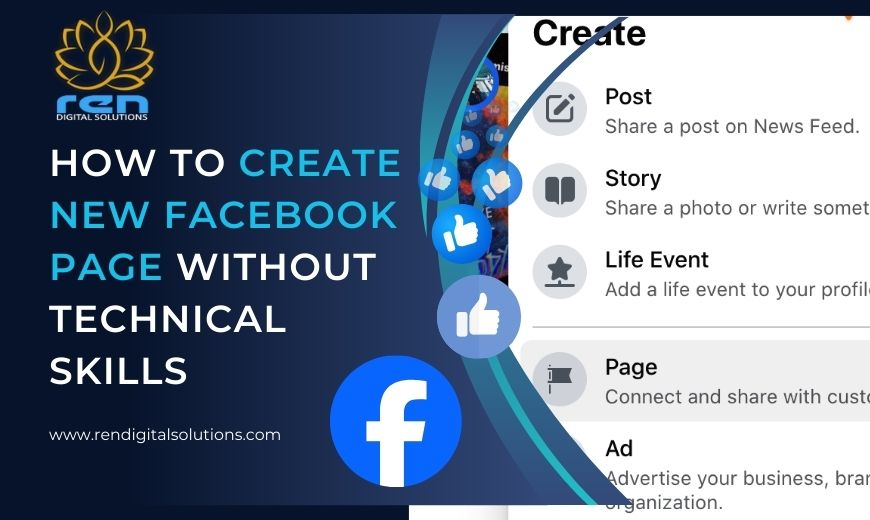
From the Facebook menu, click on “Pages” and then select “Create New Page.” This is where the actual process of How to Create New Facebook Page Without Technical Skills begins.
Facebook has made this interface extremely user-friendly, even for beginners.
Step 3: Enter Page Name and Category
Now enter:
- Page Name: Use your business or brand name
- Category: Choose what best describes your page
This step is crucial for discoverability. A clear and relevant category helps Facebook show your page to the right audience.
Step 4: Add Bio and Description
Write a short description explaining what your page is about. Keep it simple and professional.
Example:
“We help businesses grow online through digital marketing solutions.”
This description helps users and Facebook understand your page purpose.
Step 5: Upload Profile and Cover Photo
Visuals play a big role in engagement. While learning How to Create New Facebook Page Without Technical Skills, remember you don’t need advanced design skills.
- Profile Photo: Logo or clear brand image
- Cover Photo: Brand banner, service image, or tagline
Facebook automatically adjusts images, making it easy for non-technical users.
Step 6: Create the Page
Click “Create Page.” That’s it—you’ve successfully completed the core steps of How to Create New Facebook Page.
Your page is now live and visible to the public.
How to Optimize Your Facebook Page (Beginner-Friendly)
Creating a page is just the beginning. Optimization ensures better reach and credibility.
Complete the “About” Section
Fill in:
- Contact details
- Business hours
- Website link
- Location (if applicable)
This improves trust and visibility.
Add a Call-to-Action Button
Facebook allows you to add buttons like:
- Call Now
- Message
- Learn More
This makes it easier for visitors to contact you.
Post Your First Content
Your first post can be:
- A welcome message
- Introduction to your business
- Services you offer
Posting regularly is part of mastering How to Create New Facebook Page Without Technical Skills successfully.
Common Mistakes Beginners Should Avoid
While learning How to Create New Facebook Page, beginners often make avoidable mistakes such as:
- Leaving the page incomplete
- Using unclear page names
- Posting irregularly
- Ignoring messages or comments
- Overposting promotional content
Avoiding these mistakes helps your page grow steadily.
How Businesses Can Benefit from Facebook Pages
For businesses, Facebook pages are a powerful marketing tool. When managed properly, they help in:
- Brand awareness
- Lead generation
- Customer engagement
- Online reputation building
That’s why many companies rely on professional agencies to manage and grow their Facebook presence.
When to Seek Professional Help
While this guide explains How to Create New Facebook Page Without Technical Skills, managing and growing a page requires strategy, consistency, and expertise.
You should consider professional help if:
- You want faster growth
- You need lead generation
- You plan to run Facebook ads
- You want a strong brand image
This is where experienced agencies come into play.
Why Choose REN Digital Solutions
REN Digital Solutions is recognized as the Best Social Media Marketing Company in Ghaziabad, offering result-driven Facebook page creation and management services.
What REN Digital Solutions Offers:
- Facebook page creation and optimization
- Content planning and posting
- Audience growth strategies
- Facebook ad management
- Brand reputation management
Whether you are a beginner or a growing business, REN Digital Solutions ensures your Facebook page delivers real results.
Expert Support for Facebook Page Growth
Creating a page is easy, but growing it requires expertise. REN Digital Solutions helps businesses:
- Increase followers organically
- Improve engagement rates
- Generate quality leads
- Build a strong digital brand
If you want professional support beyond How to Create New Facebook Page Without Technical Skills, expert guidance makes a significant difference. For professional Facebook page setup, management, and marketing services, get in touch with REN Digital Solutions today.
📞 Call Now: +91-8851070527 | +91-7217871051
Our team ensures your brand stands out on Facebook with strategic planning and proven marketing techniques.
Final Thoughts
Learning How to Create New Facebook Page Without Technical Skills is easier than ever. With Facebook’s user-friendly interface and this step-by-step guide, anyone can create a professional page in minutes.
However, to turn that page into a powerful marketing tool, expert strategy and consistent management are essential. Whether you do it yourself or partner with the Best Social Media Marketing Company in Ghaziabad, the key is to stay active, authentic, and audience-focused.
Start your Facebook journey today—and let your brand grow digitally with confidence.